> For the complete documentation index, see [llms.txt](https://docs.flowiseai.com/llms.txt). Markdown versions of documentation pages are available by appending `.md` to page URLs; this page is available as [Markdown](https://docs.flowiseai.com/integrations/utilities/set-get-variable.md).
# Set/Get Variable
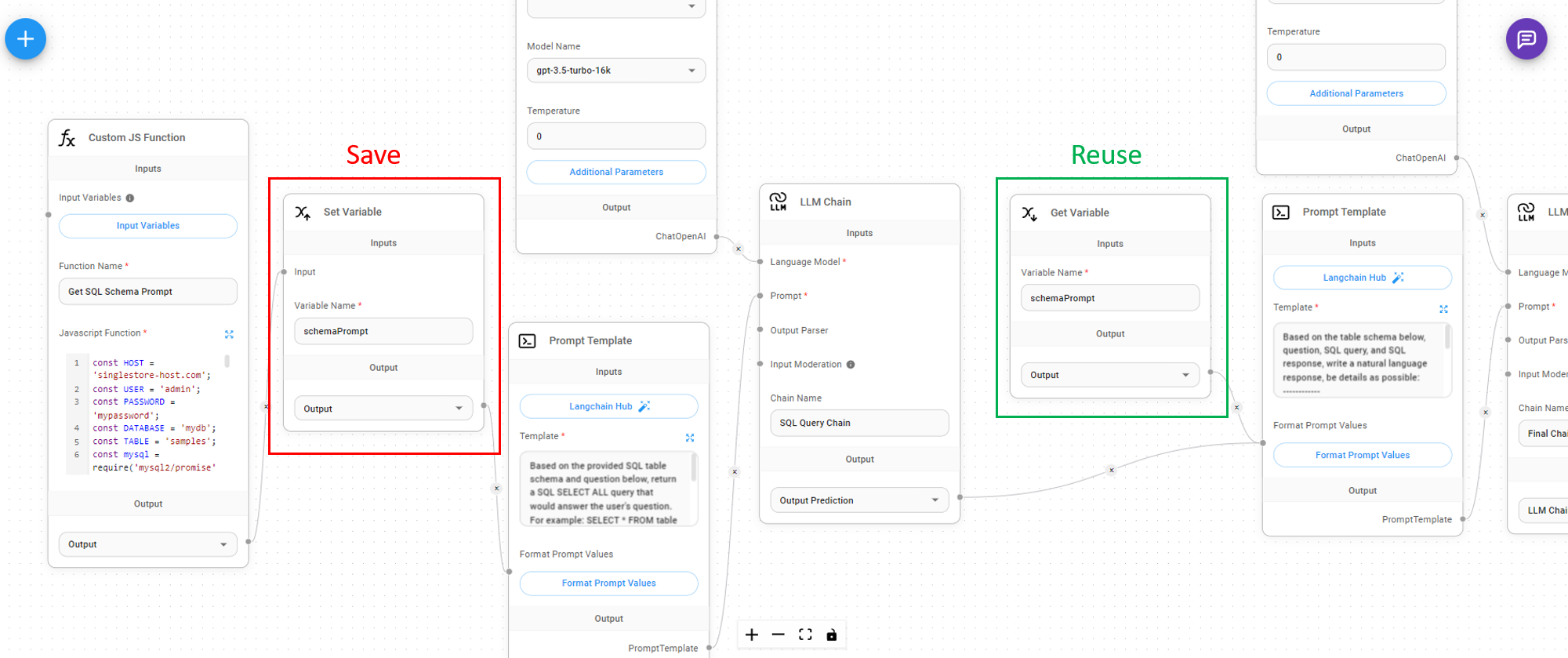
If you are running a Custom Function, or LLM Chain, you might want to reuse the result in other nodes without having to recompute/rerun the same thing again. You can save the output result as a variable, and reuse it for other nodes that is further down the flow path.
### Set Variable
Taking inputs from any node that outputs `string, number, boolean, json, array,` we can assign a variable name to it.
### Get Variable
You can get the variable value from the variable name at a later stage:
%20(1)%20(1)%20(1)%20(1)%20(1).png?alt=media)
%20(1)%20(2).png?alt=media)